Time / JAY CLOUD JOURNAL
Kronos Workforce Central End of Life: Migration Guide
Kronos Workforce Central end of life brings a March 2027 deadline. Get the key dates and a practical checklist for rethinking time and access.
Poksundo Team ·
Kronos Workforce Central end of life means on-premises support ends on March 31, 2027; Kronos Private Cloud support ended on December 31, 2025. UKG Pro Workforce Management is the successor, but moving to it is a reimplementation rather than a routine upgrade. Use the transition to evaluate not only time recording, but also how your HCM should drive employee access, visitor processes and emergency accountability.
Kronos Workforce Central end of life: the key dates
The distinction between deployment models matters. Establish which environment you operate before setting your migration deadline.
| Workforce Central deployment | Support end date | Planning implication |
|---|---|---|
| Kronos Private Cloud | December 31, 2025 | The support deadline has passed; confirm your current arrangements and transition plan. |
| On-premises | March 31, 2027 | Work backward from this date to allow time for implementation, testing and cutover. |
| Transition to UKG Pro WFM | Successor platform; reimplementation required | Treat the move as a project with requirements, configuration, validation and training. |
These dates and the reimplementation requirement are documented in migration guidance from RSM and Healthcare IT Leaders.
A support deadline is not the same as an automatic shutdown date. Confirm the implications for your specific deployment, support agreement and operational risks with UKG and your implementation partner. Avoid making assumptions about continued fixes, assistance or contractual arrangements.
For on-premises customers, March 31, 2027 should be a planning boundary, not the day migration work begins. Payroll validation, hardware checks and employee training all need space in the schedule.
Why this is more than a time-system replacement
Workforce Central may sit inside a larger operating model: HR maintains worker records, managers assign shifts, employees clock in, payroll receives approved time, and security administers badges. Replacing the time application without examining those dependencies can preserve the same disconnected processes.
Start with the worker lifecycle. When someone joins, changes department or leaves, which systems need to respond? Who enters the change, who approves it, and which teams manually copy it elsewhere?
For SAP SuccessFactors, Workday or HiBob customers, the question is whether the HCM can become the source of workforce data for both time and the physical workplace. This does not mean treating a payroll clock-in as proof that someone is currently inside a building. Time records, access events and visitor records serve different purposes and need clear operating rules.
The opportunity is to redesign those connections deliberately. Our guide to a Kronos alternative for SAP SuccessFactors explores that HCM-centered approach in more detail.
Compare architecture and fit, not just feature lists
UKG Pro WFM is generally positioned as a workforce management platform. It belongs on the shortlist where workforce management requirements are central, particularly when teams want to evaluate UKG's successor to Workforce Central.
jay cloud by Poksundo is a connected layer for Time, Access, Visitor and Life Safety, driven by HCM data. Its five native HCM connections are SAP, Workday, HiBob, Hubdrive and Access People. It is 100% cloud, with no on-premise infrastructure.
That creates a different evaluation question: do you primarily need a successor workforce management platform, an HCM-driven workplace layer, or a combination of systems? Do not assume either product covers every requirement in your current environment.
| Decision area | What to establish before choosing |
|---|---|
| Workforce management | Which scheduling, calculation, approval and payroll requirements are mandatory? |
| HCM ownership | Which system owns worker status, organizational assignments and effective dates? |
| Time recording | Which employees need terminals, mobile recording or browser recording? |
| Physical access | How should hires, moves and departures affect access rights? |
| Visitors and contractors | Which populations sit outside the employee HCM lifecycle? |
| Emergency accountability | Which records help establish who may be onsite, and how will they be checked? |
| Infrastructure | Which devices, connections and local dependencies must remain? |
For jay cloud, verified time capabilities include terminal, mobile and browser recording, HCM-native time recording and employee self-service. Its workplace rules derive access rights, shift models and visitor policies from HR data.
For UKG Pro WFM and any other shortlisted platform, verify current capabilities directly with the vendor. Ask each supplier to demonstrate your workflows rather than relying on broad product categories. Trademarks belong to their respective owners.
A practical Workforce Central migration checklist
1. Assign ownership across HR, payroll, IT and facilities
Name a project owner and decision-makers for time rules, payroll outputs, integrations, devices and access policy. Include security or facilities if badge administration and emergency procedures are in scope.
Agree on the minimum safe cutover scope. A broader architecture review is useful, but the support deadline should not become an excuse for uncontrolled project expansion.
2. Inventory the current environment
Document deployment, interfaces, terminals, employee populations, locations and custom processes. Separate requirements that remain necessary from workarounds created for the old system.
Use a short evidence-based inventory:
- Employee groups, shifts and recording methods.
- Pay rules, approvals and payroll interfaces.
- HCM feeds, identifiers and effective-date handling.
- Terminals, badge readers and local dependencies.
- Historical records, reports and retention needs.
For each item, record an owner and a validation method. A configuration nobody understands is a discovery task, not a requirement to copy blindly.
3. Define the HCM source of truth
Specify which system owns each field and how changes become effective. Pay particular attention to future-dated hires, transfers, leave, rehires and departures.
jay cloud connects HCM workforce data and derives workplace rules from it. Its published operating model covers hires, moves and departures without manual workplace updates when someone leaves. Your evaluation should still establish how your own employment statuses and exceptions map to those rules.
SAP customers can use our SAP SuccessFactors time clock integration guide to frame integration questions. Workday teams can consult the Workday time clock and access integration guide.
4. Map time requirements independently of access
Write down what constitutes a valid time entry, how corrections work, who approves records and what payroll expects. Test normal shifts alongside overnight work, missed punches and cross-location assignments.
Then map access separately. Being entitled to enter a location is not the same as being scheduled to work there, and entering a building does not necessarily start paid time. Ask vendors to demonstrate how your policies remain distinct while using consistent worker data.
5. Validate hardware before committing
List device models, locations, connection requirements and replacement constraints. Identify sites where a hardware change would require installation work or employee retraining.
jay cloud states that all hardware for time and access can be integrated, and provides central device management with automatic updates and security patches. Still, request a device-level assessment covering your equipment, integration path and deployment responsibilities. A broad integration statement should not replace a documented implementation plan.
6. Plan historical data and reporting
Decide which records must move into the new platform, which can remain in an archive, and how authorized staff will retrieve them. Include time entries, approvals, adjustments and any reports used during investigations or audits.
Retention and access obligations vary. Confirm them with counsel and the relevant internal owners; do not treat a migration checklist as legal advice. Test retrieval before decommissioning the old environment.
7. Run representative acceptance tests
Build tests around real operating scenarios, not just successful clock-ins. Include employee changes, payroll reconciliation, device issues, permissions and manual corrections.
Require named business owners to approve the results. Where practical, compare representative payroll periods and explain every material difference before cutover. Define rollback criteria and responsibilities in advance rather than during an incident.
8. Prepare people and support processes
Employees need to know where to record time and how to correct mistakes. Managers need to understand approval deadlines and exception handling. IT and facilities need clear escalation routes for integration and device problems.
Schedule training close enough to launch that people retain it. Provide short instructions tailored to terminals, mobile and browser use, rather than one long manual for everyone.
Include offboarding and emergency accountability
A time migration is a useful moment to check whether departing employees still require separate access-removal tickets. Document the current handoff between HR and security, including who handles exceptions and who confirms completion. Our guide to employee offboarding and badge access revocation provides a focused framework for that review.
Emergency accountability deserves its own test. Employees, visitors and contractors may appear in different records; a payroll report alone should not be treated as a complete onsite roster.
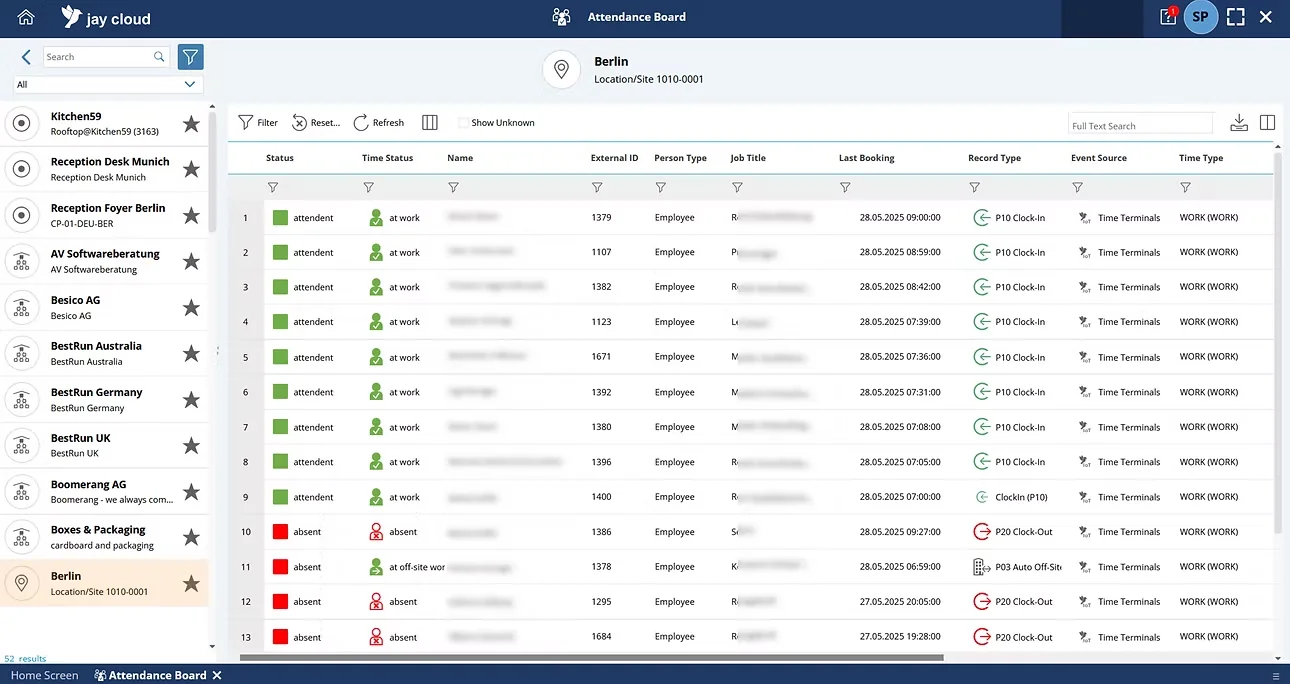
jay cloud's Life Safety capabilities include real-time attendance status, intelligent muster points and emergency roll call combining time, access, visitor and HR records. Evaluate those capabilities against your evacuation procedures, including responsibility for resolving uncertain or conflicting records.
Use the emergency headcount guide to connect system evaluation with operational accountability. Confirm applicable emergency-planning obligations with counsel and your safety team.
What SAP customers should verify
jay cloud was developed in close cooperation with SAP through the Co-Innovation Program and is native on SAP Business Technology Platform. It has a SAP-certified interface for SuccessFactors Time Tracking Service and Time Sheet; the SAP partner listing provides supporting product information.
Certification does not replace project-specific validation. Ask which SuccessFactors components your design uses, where rules are maintained, how errors are handled and who supports each connection. Apply the same discipline to Workday and HiBob projects: a native HCM connection is a starting point, not a complete migration specification.
Frequently asked questions
When does Kronos Workforce Central support end?
On-premises Workforce Central support ends on March 31, 2027. Kronos Private Cloud support ended on December 31, 2025. Confirm deployment-specific implications and contractual arrangements with UKG.
Is UKG Pro WFM an upgrade from Workforce Central?
UKG Pro WFM is the successor, but migration is a reimplementation rather than a routine upgrade. Plan for requirements review, configuration, testing, integrations and user training.
Should we replace Workforce Central with jay cloud?
That depends on your requirements. jay cloud is an HCM-driven layer for Time, Access, Visitor and Life Safety; evaluate it against your time rules, payroll interfaces and workplace processes. Validate every mandatory requirement before selecting an architecture.
Can existing terminals and access hardware stay?
jay cloud states that all hardware for time and access can be integrated. Request a specific assessment of your device inventory, connection methods and implementation responsibilities before deciding what to retain.
Should access control be part of the migration?
Include it in discovery if HR changes currently trigger separate badge-administration work. You can evaluate time and access together without forcing both into the same cutover. Define distinct policies and accountable owners for each.
Turn the deadline into a clear migration plan
Kronos Workforce Central end of life creates a deadline, but the lasting decision is how workforce data should drive your operations. Protect payroll continuity first, then evaluate whether time, access, visitors and emergency accountability should share an HCM-driven foundation.
Talk to the jay cloud team about your HCM, existing hardware and migration requirements.